
In this article you will learn why and how to implement a Social Share Button on your website within a few minutes.
Why a Social Share Button on your blog page?
You should have a Social Share Button for the following reasons:
- Social shares are an "SEO ranking signal", in other words, the more often your blog is shared, the easier it is to find;
- **More brand exposure. ** Simple: the more people see your brand name, the sooner they will want to buy your products / use your services.
- Improve the customer experience. If customers want to share your blog, help them!
- More visitors. Also obvious: the more often something is shared, the more people will visit the page.
Why you should not have a Social Share Button
Given what is described above, it seems like a no-brainer. Social share buttons really only have advantages. But is that really so? Research has been done into the sharing behaviour of visitors (see for example this post by Seattlewebdesign), which shows that social share buttons are hardly ever used.
And if they are hardly ever used anyway, what is the point of a social share button?
A fair question. If it turns out that your social share button is not being used, then our advice is: just remove the button.
On the other hand, perhaps something else is to blame. Could it be that your Social Share Button does not stand out enough, because the buttons look the same as on every other website? Perhaps that is why it does not invite anyone to click on it at all?
Then try a unique Social Share Button. Below we explain how you can implement your own Social Share Button within 5 minutes.
How do you add a Social Share Button?
The first step is finding a unique Social Share Button. We picked a public design off the internet, originally made by a certain Nate. After all, you do not always have to reinvent the wheel.
HTML
The first question you need to ask yourself is where you want the Social Share Button to be. We chose to place it in a 'fixed' position on the screen (bottom left). That way the button is always visible. Paste the code below into the HTML body of your page. published
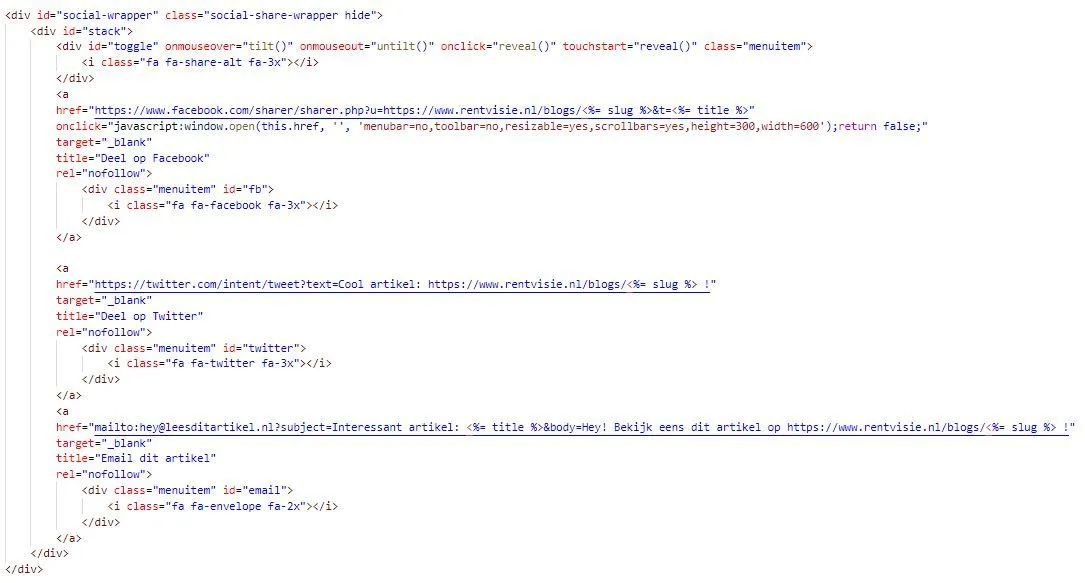
HTML code for Social Share Button
**Please note: **
- You need fontawesome for the icons.
- You can of course change the links to RentVisie to your own URL.
At the end of the article you will find a link to a codepen, where you can copy the code directly (including access to Fontawesome).
SCSS
One of the most important aspects: the styling. The button obviously has to look good. Below you will find our code. Note that we use the property position: fixed to pin the button to the bottom left of the screen. published
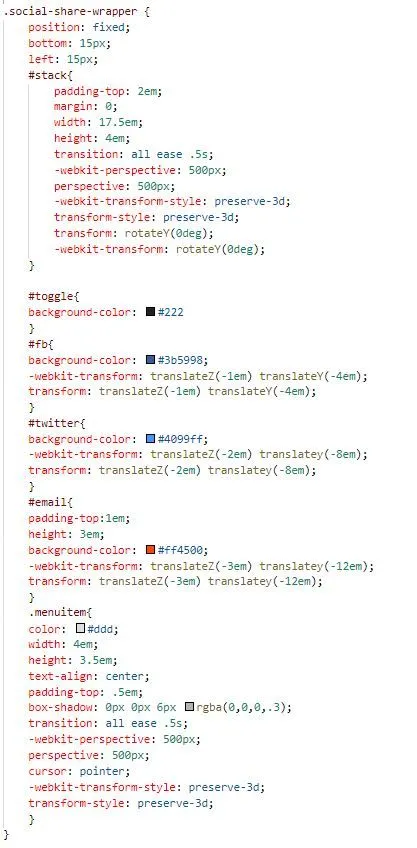
Styling: CSS for Social Share Button
Please note: we wrote the styling in SCSS. The original code is CSS, which you can also use.
Javascript
And finally just a bit of plain vanilla Javascript to give the button its cool animated effects.
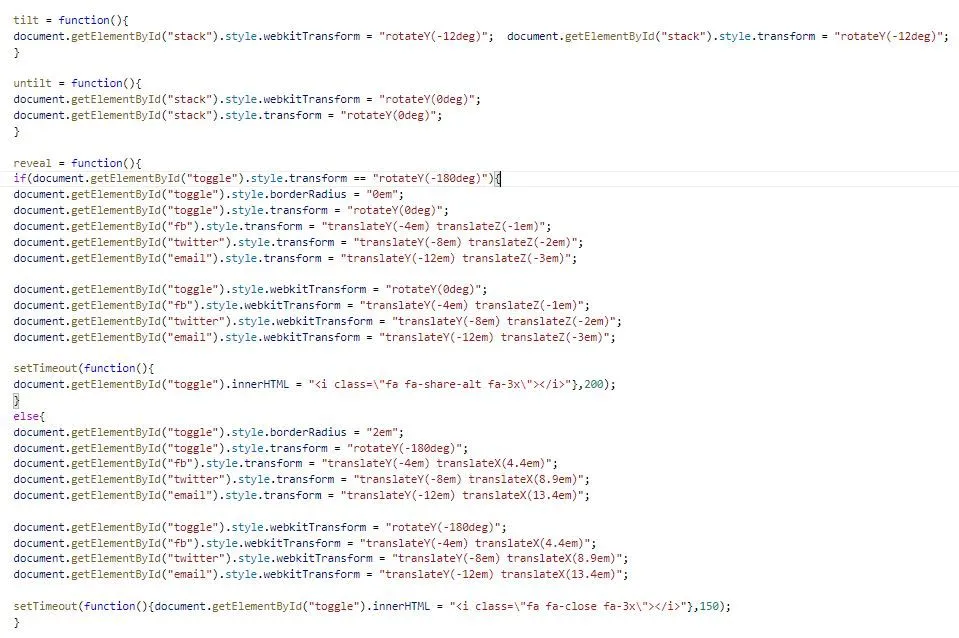
Javascript code for Social Share Button
Click here to view the full original code by Nate and then implement it on your own website.
Closing remark
In this blog we have shown how you can implement a Social Share Button on your website within 5 minutes. If you would rather have a different button, you can do the same as we did. Find a button you like on the internet (for example here) and use the basis of that code to implement your own unique social share button on your page.
Want to know what we can do for you?
Get in touch